
An update from the Rotrends Team
After a great run serving the Roblox community, we're sad to share that Rotrends will be deprecated on August 31. Thank you for using Rotrends and for being part of our journey.
Rotrends
Rotrends
  • Home
  • Games
    • Top
    • Trending
    • Analyze
    • Genres
    • Players
    • Groups
  • More
    • UGC
    • Calculators
    • News
    • Theme
    • Support
  1. Games
  2. /
  3. Simulation
  4. /
  5. Sandbox
  6. /
  7. Studio Lite
Studio Lite

Studio Lite

ScottSpiritWalker
Visit
Play
Play

Global

#925

Peak CCU

2.1K

Visits

130.3M

Favorites

177.4K

Rating

87%

Updated

2 months ago

Created

Sep 19 2022

Genre

Simulation

Subgenre

Sandbox

Maturity

All Ages

Avg CCU (7d)

1,599.89

98th percentile

Avg Session

7.5 mins

69th percentile

Favorites per 1,000 Visits (7d Avg)

--

Players (CCU)1,265
Avg Session7.5 mins
Visits130.3M total
Avg CCU (14d)1.6K
Studio Lite
Previous Period
1d
Charts4 placements
Global Rank#925
Platform Share0.01%

Top Revisited

#20

May 28, 2026 - May 28, 2026

Top Rated

#3103

15
Apr 20, 2024 - Jun 18, 2024

Learn & Explore

#45

44
Mar 4, 2024 - Aug 24, 2026

Popular Worldwide

#3125

1432
Apr 22, 2024 - Jun 17, 2024
Rating87.02%
Votes101.9K total
Favorites177.4K total
Studio Lite
Previous Period
1d
Earning Rank--
Game Passes0 passes
Dev Products6 products
Studio Lite
Previous Period
1d

FAQs

What is Studio Lite?

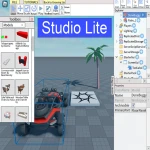
Studio Lite is a Roblox game in the Simulation genre.
Here is their description:

Who created Studio Lite?

Studio Lite was created by ScottSpiritWalker.

When was Studio Lite released on Roblox? Does it get regular updates?

Studio Lite was officially released on Roblox on Sep 19, 2022. Studio Lite was last updated 2 months ago on Jun 24, 2026.

How do I play Studio Lite on my phone?

1. Download the Roblox app from the App Store (iOS) or Google Play Store (Android).
2. Open the app and log in to your Roblox account. If you don’t have one, create a free account.
3. Use the search bar to find Studio Lite.
4. Tap on the game and press Play to start enjoying it!

How do I play Studio Lite on my Xbox or Playstation?

1. Install the Roblox app from the Microsoft Store (Xbox) or the PlayStation Store (if Roblox is available on your version).
2. Launch the Roblox app and sign in with your account. Create one for free if you don’t already have one.
3. Use the search function to find Studio Lite.
4. Select the game and hit Play to dive in!

Is Studio Lite suitable for all ages?

Studio Lite is rated Minimal (All Ages). You can learn more about Roblox’s rating here and learn more about Roblox’s parental controls and other safety features here.

How do I get codes for Studio Lite?

The best places to find codes for Studio Lite is usually on Twitter/X or the Studio Lite wiki.

How do I find secrets in Studio Lite?

The best place to find secrets in Studio Lite is usually by checking the Studio Lite's wiki. You can also look up videos on Youtube for “Studio Lite secrets.”

Privacy Policy•Terms of Use•Cookies Policy•Super League © 2026